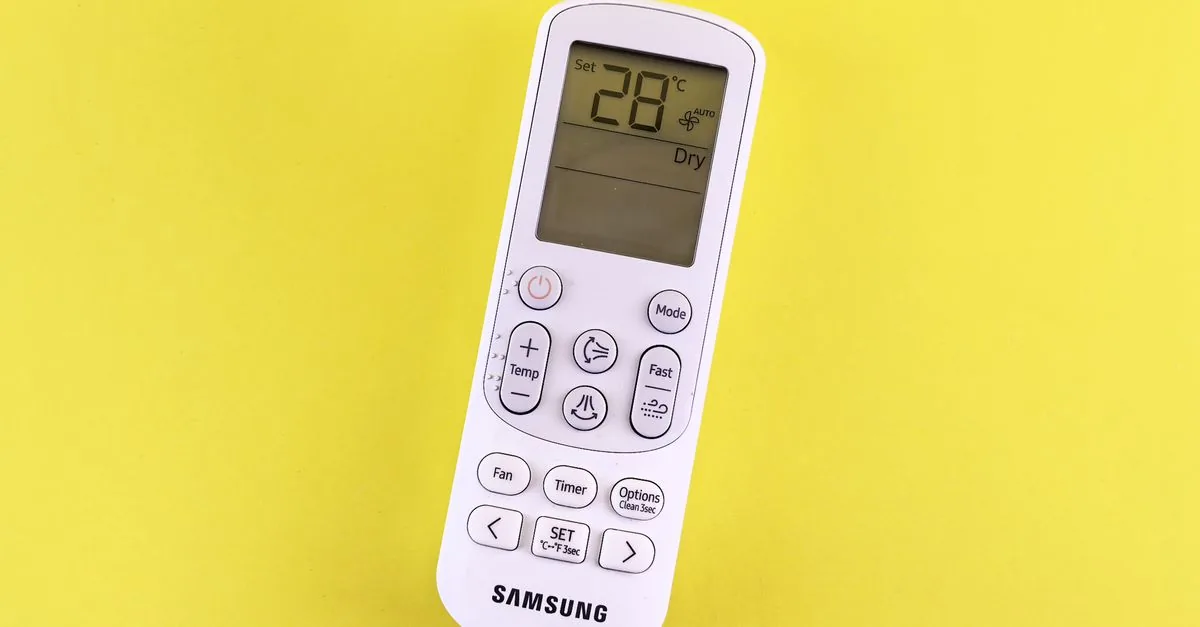
The AC has stopped responding. You press the button, nothing happens, and the natural conclusion is that something expensive has failed inside the machine.
Usually it has not. The overwhelming majority of “AC not responding” complaints are the remote, not the air conditioner — flat cells, corroded battery contacts, a setting nobody meant to change, or a receiver window with a film of dust on it. All of those are free or nearly free to sort out.
The trick is to prove which side is at fault before you let anyone open the unit. This page gives you two tests that do exactly that, then explains what it means if the AC really is the problem.
A note first. XpertWorker is a marketplace, not a service company. We do not set any professional’s price and we never charge you a paisa. Every professional quotes you free before starting, and you pay them directly.
In this guide
Two tests that tell you which side is broken
Do these first. Between them they split the problem into “buy a remote” and “call a technician”, which is the only decision that matters right now.
- Test 1: the phone camera infrared test. The remote talks to the AC with an infrared light that your eyes cannot see but a phone camera often can. Open your phone camera, point the front end of the remote straight into the lens, and press any button. If you see a faint purple or white flicker on the screen, the remote is transmitting and the fault is elsewhere. If there is nothing at all, the remote is dead. Use the front-facing selfie camera if the rear one shows nothing — many phones filter infrared out of the main camera but not the front one.
- Test 2: the manual button on the indoor unit. Almost every split AC has a small button hidden under the front flap, often marked AUTO, MANUAL or POWER. Lift the flap and press it. If the unit beeps and starts cooling, the air conditioner itself is fine and your problem is entirely on the remote side. If nothing happens at all, the fault is in the unit or its power supply, and our guide on the AC that will not turn on is the one you want next.
Those two results give you four outcomes. Remote flickers and manual button works: the receiver or a setting is the issue. Remote does not flicker and manual button works: buy a remote. Remote flickers but manual button does nothing: the unit has a power or board problem. Neither works: start with the power supply.
Want a real quote for your own job?
Get free quotesIf the remote is dead, try these before buying one
All free, all worth two minutes each, and in Delhi the second one is far more often the answer than people expect.
- Fit a fresh pair of cells, both at once. Never mix an old cell with a new one. A remote with one weak cell often lights its own display perfectly while failing to transmit far enough to reach the unit, which is why “the screen is working so the batteries are fine” is the most misleading assumption on this page.
- Look inside the battery compartment for white or green crust. Delhi’s monsoon humidity and long summer storage corrode the metal contacts. Scrape them clean gently with a dry cloth or a pencil eraser until the metal is bright again, then refit the cells. This revives a large share of “dead” remotes.
- Take the cells out for a minute, then refit them. This resets a remote whose software has hung, which happens after a power surge or a drop.
- Check the mode and the lock. A remote set to Fan will start the unit and never cool it, a timer left set will switch it off on its own schedule, and many remotes have a child lock that ignores every press until it is released. If the display shows a small key or lock symbol, that is your answer.
- Wipe the front tip of the remote and the display window of the indoor unit. Infrared cannot get through a film of dust, and in this city that film builds fast. Point the remote at the unit from within a few metres with nothing in the way.
If none of that works, a replacement remote is one of the least expensive things you can do to an air conditioner. A matching original from the brand’s service centre is the cleanest option; a universal remote that supports your brand is a common alternative and works well enough for basic control, though some special functions may not carry over.
What if the display or the panel is the problem?
If the remote transmits fine and the manual button works but the unit still ignores the remote, the fault has moved to the receiving end.
- The infrared receiver on the indoor unit. A small sensor behind the display window. Dust, a cracked window, or a failed sensor all produce the same symptom: the unit runs on the manual button but will not listen to a working remote. It is a small part and a straightforward replacement for a technician.
- The display panel itself. Segments missing, a dim or dead display, or lights that stay on permanently. Sometimes it is only the display strip, which is a cheaper repair than the main board, so ask specifically which one is being quoted.
- A blinking light pattern or an error code. On most inverter ACs the indoor unit signals faults by blinking a light a set number of times or showing a code. Count the blinks or write the code down, and check it against the manual for your model. Arriving with that information makes it far harder to be sold an unrelated part.
- The unit responds intermittently. Often a loose connector between the display board and the main board, especially in units that have been moved or serviced recently. Worth mentioning if your AC was shifted or opened not long before this started.
Why remotes fail so often in Delhi homes
Nothing about a remote is fragile, but the conditions here are unkind to it in three specific ways.
- Long idle storage across winter. Most Delhi ACs sit unused from November to March with the cells still inside. Cells left in a device for months leak, and the leaked electrolyte corrodes the contacts. If your remote worked in October and is dead in April, this is the most likely reason, and cleaning the contacts often brings it back.
- Monsoon humidity. Damp air gets into the battery compartment and into the circuit through the button membrane. The classic symptom is a remote where some buttons respond and others do not, or one that works only when held at an angle.
- Dust on both windows. The infrared beam has to leave the remote and reach a small window on the indoor unit. A film of fine grey dust on either end weakens the signal, so the remote works from one metre and not from four. People read that as a dying remote when it is a cleaning job.
One habit prevents most of this: take the cells out when you shut the AC down for winter, and put fresh ones in when you start it again in March. That single step is part of our start-of-summer AC checklist.
When to call a technician, and what to ask
Call someone when the remote transmits, the batteries are fresh, the contacts are clean, the window is wiped, and the unit still will not respond — or when the manual button does nothing either.
- Tell them the results of both tests. “The remote flickers on the phone camera and the manual button starts the unit” is a diagnosis in one sentence and it saves a visit.
- Ask for the receiver and display to be checked before the main board. They sit earlier in the chain and they fail more often. Ask which specific part is being replaced and why.
- Ask them to try a universal remote first. A technician carrying one can confirm in seconds whether your remote or the unit is at fault, and it costs nothing to ask.
- Write down any error code or blink pattern before they arrive. On an inverter unit this is the most valuable thing you can hand over. If a board is then genuinely needed, our guide on inverter AC PCB repair explains what drives the cost of that decision.
- Keep the old part. Ask for any replaced board or sensor back, as a matter of routine.
One last thing worth saying plainly: a remote fault is never a reason for a gas refill. If the conversation turns to refrigerant while the complaint is that the unit will not respond to a button, the two are unrelated.
Need an AC & Appliance Repair professional?
Get free quotes from independent, local professionals near you. XpertWorker never charges you — you pay the professional directly.
Get free quotes →Frequently asked questions
How do I check if my AC remote is working?
My AC remote screen is on but the AC does not respond. Why?
Can I run my AC without a remote?
Will a universal remote work with my AC?
Why did my AC remote stop working after winter?
Does a blank AC display mean the PCB has failed?
How we put this guide together
This guide is compiled from common Delhi NCR service patterns and reviewed by the XpertWorker team. XpertWorker connects you with independent, local professionals — we never charge you a paisa, and each professional sets their own price and quotes you free.